 Hi Boox Popular Magazine 2025
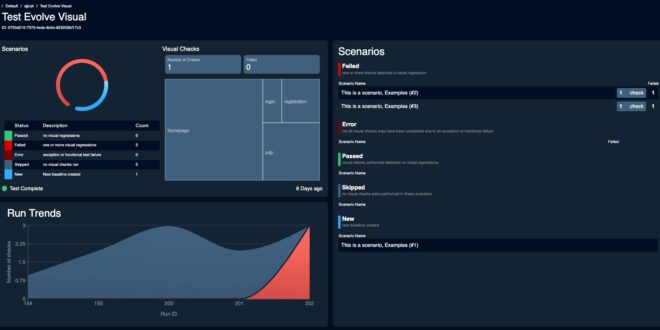
Visual regression testing works by comparing the current version of the user interface with an approved baseline in order to detect any unintended changes in layout, styling, spacing, and shared components. It is able to spot visual issues that functional testing might fail to identify and helps teams to make sure that the user interface remains in line with the expected design.
Baseline drift becomes a concern when the approved reference no longer represents the intended UI. A planned design change may require a new baseline, but repeated unreviewed updates, rendering differences, dynamic content, and unstable test conditions can also change screenshots. As the baseline becomes less accurate, genuine regressions can be overlooked.
This article explains baseline drift, why it happens, and how teams can maintain reliable visual baselines for visual regression testing.
What Is Visual Regression Testing?
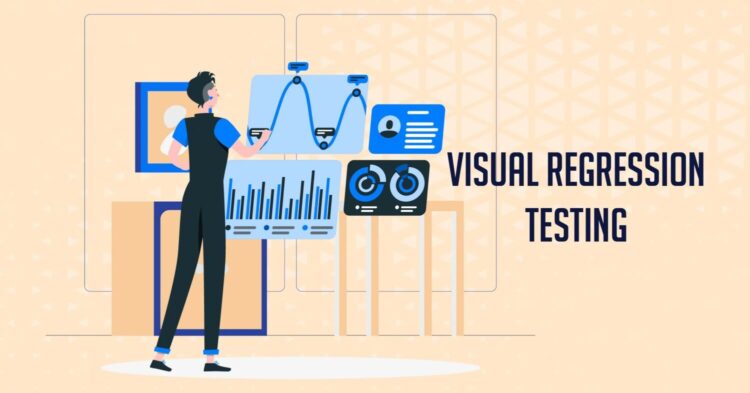
Visual regression testing is a method of checking whether changes to an application have introduced unwanted changes to its user interface (UI). It compares the current appearance of a page or component with an approved baseline to identify differences in layout, spacing, colors, text, and other visual elements.
While traditional regression testing checks whether code changes have affected existing functionality, visual regression testing checks whether those changes have affected the UI’s expected appearance.
The key benefits of visual regression testing include:
- Detecting Layout Regressions: CSS or component changes can shift buttons, cards, headers, menus, or images. Visual comparisons can flag these changes before they reach users.
- Checking Responsive Layouts: A UI that works well on a desktop screen may not display correctly on smaller devices. Testing multiple viewport sizes helps uncover layout and alignment problems.
- Finding Cross-Browser Differences: Rendering can vary between browsers. Visual comparisons can reveal differences in fonts, spacing, shadows, and other UI elements.
- Protecting Design System Components: Shared elements such as buttons, forms, cards, modals, and navigation bars can appear across many pages. A change to one component can affect multiple screens.
- Speeding Up UI Reviews: Instead of manually checking every screen after a change, teams can review visual differences and focus on areas that have changed.
- Reducing Production UI Defects: Visual issues on checkout pages, dashboards, forms, and onboarding screens can affect the user experience. Automated visual checks can catch these problems before release.
- Supporting Team Collaboration: Designers, developers, QA engineers, and product managers can review visual differences together and decide whether a change is expected or needs correction.
What Is Baseline Drift and Why Does It Happen?
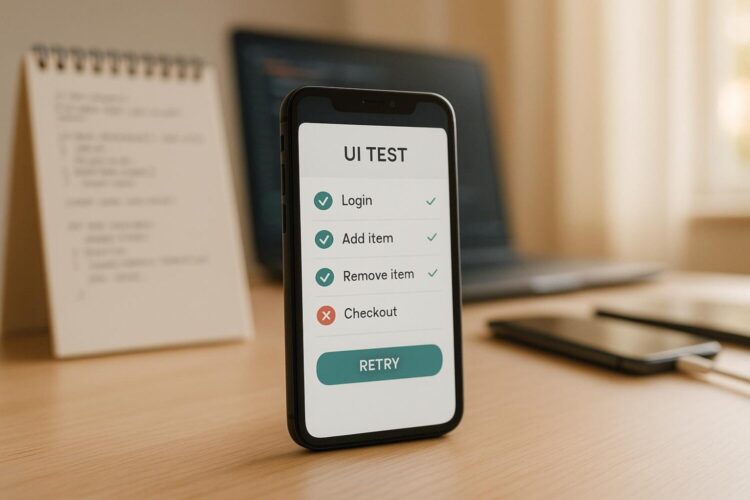
Baseline drift is the gradual change of an approved visual baseline away from the intended UI. It can happen when small visual changes are repeatedly accepted without proper review.
With time, unintended UI changes can become part of the baseline. This can cause genuine visual regressions to go undetected.
Several factors can cause baseline drift:
- Frequent UI Changes: Ongoing changes to colors, typography, spacing, content, and shared components can cause the baseline to become different from the intended design.
- Unreviewed Baseline Updates: Approving visual changes without review can make unintended UI changes part of the baseline. Future regressions may then go unnoticed.
- Environment Differences: Differences in browsers, operating systems, fonts, viewport dimensions, device pixel ratios, and rendering environments can change screenshots without any application code changes.
- Dynamic Content: Dates, prices, notifications, advertisements, user data, and other changing content can create screenshot differences that are unrelated to actual UI defects.
- Font and Rendering Changes: Changes in font availability, font rendering, anti-aliasing, or graphics rendering can create small visual differences that accumulate across screenshots.
- Branch and Design Changes: Baselines can become inconsistent when different branches contain different visual changes or when a shared design system is updated without reviewing the resulting baseline changes.
Baseline drift becomes a problem when teams start treating baseline updates as a way to make failing tests pass rather than as an intentional decision about the expected UI. An incorrect baseline can cause future visual regressions to pass because the tool is comparing the application against an already incorrect reference.
How Can You Manage Baseline Drift in Visual Regression Testing?
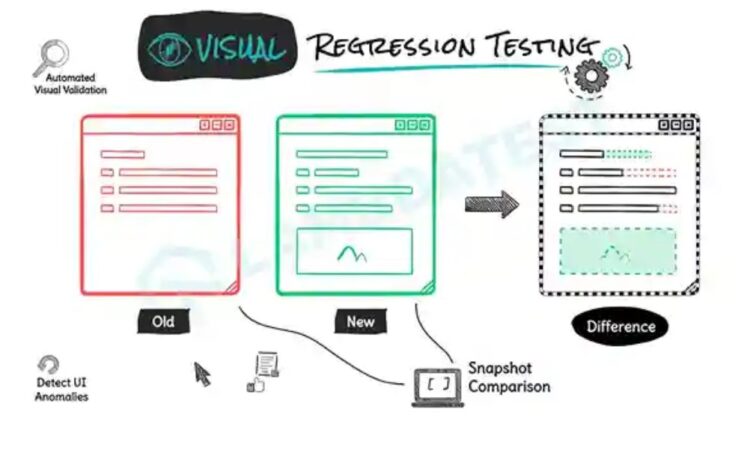
Visual regression testing only works when the baseline image is accurate. If a baseline gets approved without proper review, real UI bugs can become part of the accepted version. Future tests will then compare against that flawed baseline and treat the same problem as normal. This is how baseline drift develops. It can happen gradually and remain unnoticed until someone discovers the issue in production.
Managing baseline drift requires consistent practices for creating, approving, and reviewing baselines over time.
- Version and Govern Baselines: Store baseline images in version control and update them only after a visual change has been reviewed and confirmed as intentional. Each update should have a clear reason and be connected to the relevant UI change. Maintaining this history makes it easier to understand when a visual difference was introduced and prevents teams from approving new screenshots without checking the actual change.
- Eliminate Rendering Noise: A visual difference does not always mean that the application UI has changed. Browser, operating system, font, viewport, and rendering differences can affect screenshots. Keep baseline and comparison tests in the same environment and use consistent test data, time zones, browser versions, application states, and font loading conditions.
- Isolate Scope and Prioritize Critical Flows: Limiting comparisons to specific components and application states can make failures easier to diagnose. Start with high-priority flows such as login, checkout, navigation, forms, and dashboards.
- Review Thresholds and Ignore Regions: Visual comparison thresholds and ignored areas should be reviewed regularly. Thresholds that are too strict can create unnecessary failures while thresholds that are too relaxed may allow real changes to pass. Ignore regions also need careful review because an overly large excluded area can hide a genuine UI defect.
How Can You Prevent Unnecessary Baseline Changes?
Unnecessary baseline changes can make visual regression tests less significant. A baseline should change only when the new appearance is intentional and has been reviewed.
- Review Every Visual Difference: Check the changed screenshot before approving a new baseline. A passing test should not be the only reason to accept a change.
- Update Baselines Only for Intentional UI Changes: If the difference comes from an expected design or layout change, approve it. If the cause is unclear, investigate it instead of updating the baseline.
- Keep the Environment Consistent: Use consistent browser versions, viewport sizes, fonts, and rendering environments for all visual tests. Environmental differences can otherwise create changes that are unrelated to the application.
- Require Baseline Ownership: Assign responsibility for reviewing baseline changes so someone familiar with the intended design can approve or reject them.
- Connect Updates to Code Changes: Record why a baseline changed and link it to the related pull request, issue, or design change. This gives future reviewers context about the decision.
- Avoid Bulk Approvals: Review visual differences individually or in logically related groups rather than approving every failed screenshot together. This helps keep unrelated regressions out of the approved baseline.
- Restrict Baseline Update Access: Give baseline update permissions only to designated team members. This reduces the risk of unintended changes becoming part of the approved reference.
Managing baselines manually becomes harder as applications grow and teams run visual tests across multiple browsers, operating systems, resolutions, and development branches. Teams need a way to compare visual changes consistently while keeping baseline updates under review. This is where a visual regression testing tool can bring these practices together in a single workflow.
SmartUI by TestMu AI (formerly LambdaTest) is an AI-native visual regression testing tool built on TestMu AI’s AI-native test execution cloud. It automates screenshot capture, comparison, and analysis for visual regression testing across browsers, resolutions, and real devices.
Here are the reasons why you should use TestMu AI:
- Smart Ignore Mode: Filters anti-aliasing, sub-pixel font rendering, animation states, and dynamic regions from visual comparisons, reducing false positives by up to 95%.
- Smart RCA: Generates a plain-language root cause for each visual change and categorizes it as Critical, High, Medium, or Low based on likely user impact.
- Figma Baselines: Allow imports of Figma frames so that implementation screenshots can be directly compared with the approved designs instead of with earlier builds.
- Branch-Scoped Baselines: Manages baselines across branches and resolves conflicts when multiple branches modify the same screen.
- PDF Visual Testing: Compares generated PDF documents page by page through the same testing process, which is useful for invoices, statements, and contracts.
- MCP Server: Makes comparison analysis available in AI code editors so developers can review visual changes without leaving their development environment.
- Framework Support: Provides SDKs for Selenium, Playwright, Cypress, Puppeteer, WebdriverIO, and TestCafe. Its CLI also captures Storybook instances and static sites.
What Are the Best Practices for Managing Visual Baselines?
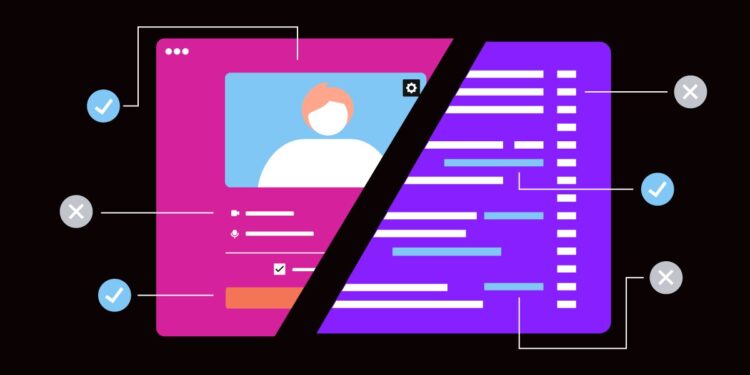
Once you control the immediate causes of baseline drift, a few longer-term practices can keep the baseline set accurate as the application continues to grow and change.
- Schedule Periodic Baseline Audits: Although a well-managed set of baselines has a benefit from such scheduled reviews, for example inspections carried out quarterly in which a sample of the baselines is compared with the current design system in order to detect any drift that individual approvals might have overlooked.
- Outline the Criteria for Approval: Make it clear what constitutes an acceptable visual change and what needs to be corrected. This ensures that all reviewers have the same reference point, so the decisions regarding approval are consistent no matter who reviews the change.
- Integrate Visual Tests Early in the Pipeline: Finding a visual regression in a pull request before the code is merged is easier and less costly than discovering it just before a release when there may be pressure to approve the change quickly.
- Combine Visual Tests with Cross-Browser Coverage: By carrying out the same visual comparisons on the various browsers and devices that are supported, it is possible to spot rendering inconsistencies early, rather than having to wait for customers to report that a page looks wrong in an environment that the team had not tested.
- Keep a Rollback Path for Baselines: Since baselines are versioned, teams should be able to restore a previous known-good baseline quickly if an incorrect approval gets through. This prevents every baseline update from becoming permanent.
- Train Reviewers: It is useful for new members of the team who are assessing visual differences to be given advice about common false positives such as anti-aliasing, font rendering differences, and dynamic content so that they can make well-informed decisions when approving things.
Bottom Line
Baseline drift becomes a problem when visual changes stop being reviewed as changes and start being accepted as routine test updates. A baseline can change when the UI is intentionally changed, but the review needs to establish that the new screenshot represents the expected interface rather than an accidental regression. Consistent environments, controlled dynamic content, and clear approval practices keep that distinction intact.
That makes baseline management part of the testing process itself. Reviewers need to see what changed, understand why it changed, and connect the new baseline with the code or design change that caused it. When those decisions are recorded and reviewed instead of being made simply to clear failed tests, visual regression results remain useful as the application changes.