 Hi Boox Popular Magazine 2025
IVR testing becomes crucial as call flows grow across menus, voice inputs, routing rules, and connected systems. Manual checks can miss failures that occur after small changes to prompts or call logic. Automated testing brings these checks into the development process so you can validate necessary IVR flows repeatedly.
In this article, we will explore how to build an IVR testing pipeline.
What Is IVR Testing?

IVR testing is the practice of using automated tools to check an Interactive Voice Response system across its main call flows. It covers voice prompts, DTMF input, speech recognition, call routing, and backend connections.
Automated tests replace repeated manual dialing with consistent test runs that can be executed after each release to identify broken call paths before they affect callers.
A modern IVR system does more than play recorded menu options. It receives keypad tones and spoken commands, connects with APIs to retrieve customer or order information, and directs callers to the appropriate queue or self-service option. Automated IVR tests exercise these parts of the system through realistic call scenarios and verify that the response, routing, and returned data match the expected result.
The audio quality of an IVR also needs separate validation. Measures such as MOS, PESQ, POLQA, WER, and latency can be used to assess speech clarity, recognition accuracy, and response timing.
Types of IVR Testing
IVR testing is not a single activity. Each type targets a different risk, and a complete strategy combines several types to cover call flows, performance, speech, and user experience.
| Testing Type | What It Validates | Failures It Catches |
| Functional Testing | Menu paths, prompts, DTMF inputs, speech inputs, and call routing. | Dead-end branches, incorrect transfers, missing prompts, and broken retries. |
| Regression Testing | Existing call flows after IVR or backend changes. | Previously working paths breaking after updates. |
| Load Testing | IVR behavior under expected concurrent call volumes | Dropped calls, busy signals, queue overflow, and capacity issues. |
| Stress Testing | IVR behavior beyond normal capacity. | System crashes, severe degradation, and poor recovery. |
| Performance Testing | Prompt latency, speech recognition speed, and routing response time. | Slow prompts, delayed recognition, and timeouts. |
| Speech Recognition Testing | Recognition accuracy across accents, dialects, and background noise. | Misheard commands, incorrect routing, and recognition errors |
| Experience Testing | Prompt clarity, navigation, language coverage, and complete caller journeys. | Complex menus, poor navigation, audio issues, and failed caller journeys. |
| Security Testing | Authentication, data access, input handling, and IVR attack surfaces. | Unauthorized access, data exposure, input-based attacks, and other vulnerabilities. |
How Can You Build an IVR Testing Pipeline?
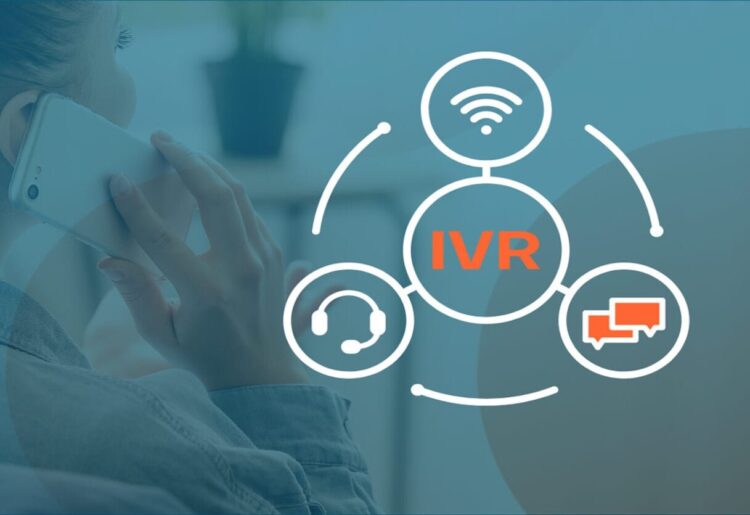
An IVR testing pipeline brings automated call-flow validation into the development and release process. Instead of checking menus and routing manually after every change, teams can automatically place calls, provide DTMF or speech inputs, validate responses, and review the results as part of their regular testing process.
An IVR testing pipeline can follow these steps:
- Map the IVR Call Flows: Document menus, prompts, DTMF options, speech inputs, transfers, fallback paths, and expected outcomes. This creates a clear set of scenarios for automation.
- Create Automated Test Cases: Build reusable tests for important customer journeys. Include valid inputs as well as invalid entries, timeouts, retries, and unexpected responses. Automated IVR frameworks can place calls, interpret prompts, send DTMF tones, and record transcripts.
- Prepare the IVR Test Connection: Connect the automated test system to the telephony service used by the IVR. It should be able to start calls, handle keypad inputs, record audio, and verify speech.
- Verify Prompts and Destinations: Test each interaction in the call flow and confirm that the IVR gives the expected prompt and sends the caller to the right destination. Transcript comparison and similarity scores can be used for spoken answers.
- Integrate Tests with CI/CD: Trigger the automated IVR suite when IVR code or configuration changes are pushed. A failed critical test can prevent the deployment from progressing until the issue is addressed.
- Store Test Evidence: Save call recordings, transcripts, step results, and failure information. This gives testers enough information to identify where a call flow failed without manually repeating the entire test.
- Monitor After Deployment: Continue running selected tests against the deployed IVR. New production failures can then be converted into regression scenarios and added to the pipeline.
How Can You Automate IVR Testing?

Automating an IVR system means covering two connected surfaces: the phone call itself, and the web or mobile channels that mirror what the caller hears. The call needs a telephony test harness that can dial the number and read back what it hears; the surrounding self-service portal or app can be automated with whatever framework a team already relies on for web and mobile testing.
A practical workflow for voice testing can follow these steps:
- Document the Flow First: Map every prompt, accepted input, and expected destination before writing the automation.
- Place the Call Programmatically: Configure a telephony API or test harness to initiate the call from the test runner.
- Send the Input: Use DTMF tones for keypad menus or synthesized speech for voice-enabled IVR systems.
- Verify the response: Transcribe the IVR’s spoken output and compare it with the expected response. Pattern matching can handle dynamic information such as account balances.
- Confirm the Data Lines Up: Match the value read back over the phone against the source system, and confirm the call actually lands in the queue or department it was supposed to reach.
- Wire it Into the Build Process: Running the suite on every release means a broken prompt or a misrouted branch shows up in a failed build instead of a customer complaint.
Here is a conceptual example of an automated IVR test that places a call, navigates a menu, provides speech input, and validates the response.
| # Conceptual automated IVR call test using a telephony harness
session = ivr_client.dial(number=”+1-287-311″) session.assert_prompt_contains(“You have reached Northgate Insurance”) session.assert_prompt_contains(“Please say or enter your policy number”) response = session.get_transcribed_prompt() session.end_call() |
IVR Automation Testing Tools: What to Look For?
There is no single IVR testing tool that fits every project. The right choice depends on the type of testing you need, the scale of your call flows, and the systems connected to the IVR. Tools in this area generally fall into several categories, and teams may use more than one to cover their testing needs.
- Open-Source Telephony Frameworks: Provide scripting capabilities for placing calls, sending DTMF inputs, and capturing audio. They give teams greater control but require them to build their own testing and reporting setup.
- Commercial IVR Testing Suites: Combine call generation, speech validation, functional testing, load testing, and reporting within a packaged solution that comes with licensing costs.
- Cloud Customer Experience Testing Platforms: Support large numbers of concurrent calls and broader end-to-end customer experience checks through managed cloud infrastructure.
- Platform-Specific Testing Tools: Provide testing capabilities for particular contact-center platforms. Teams using a specific stack can look for tools built around that environment.
A Selection Checklist for Any Category:

- Input Coverage: Support both DTMF and speech inputs since many modern IVRs use a combination of keypad and voice interactions.
- Speech Validation: Provide accurate speech-to-text capabilities so tests can verify the actual spoken response from the IVR.
- Concurrent Call Capacity: Support the number of simultaneous calls required for planned load and performance tests.
- CI/CD Integration: Provide APIs or command-line support so automated tests can run as part of the build and release process.
- Detailed Reporting: Show individual call steps and identify the prompt, input, or routing branch where a failure occurred.
- Web and Mobile Coverage: Support testing for web and mobile channels connected to the IVR so teams can cover the complete customer journey.
For teams that need these capabilities in one platform, TestMu AI (formerly LambdaTest) is an end-to-end AI agent testing platform. TestMu AI approaches IVR testing through autonomous AI agents.
Its Agent Testing platform places actual phone calls, navigates menus, detects DTMF inputs, and evaluates each interaction against defined metrics without requiring manual intervention. It can test traditional touch-tone IVRs as well as AI voice agents used within modern call flows.
- Real Call Simulation: Places inbound and outbound calls to test IVR menus, DTMF detection, routing, transfers, and fallback paths.
- Standardized Voice Metrics: Evaluates calls based on intent recognition accuracy, task completion rate, response consistency, customer satisfaction, and hallucination detection.
- Realistic Caller Simulation: Tests interactions with 200+ voice profiles, 50+ accents, and 20+ background sound environments. It also supports caller personas such as International Caller and Impatient User.
- Multi-Agent Evaluation: Uses 15+ specialized AI testing agents to assess areas such as bias, toxicity, completeness, and context awareness across large numbers of scenarios.
- Load Testing with HyperExecute: Runs concurrent calls within CI/CD pipelines to assess how the IVR or AI voice agent performs under higher call volumes.
What Are Common IVR Testing Scenarios and Best Practices?

Not every IVR test case carries equal weight, and teams building out a pipeline for the first time need a way to prioritize what gets automated first versus what can wait.
The scenarios and practices below reflect where failures most commonly occur and how to keep a growing test suite reliable.
Scenarios Worth Automating First:
- Menu Validation: Test every menu option to confirm the correct prompt and routing behavior.
- Call Transfer and Routing: Verify that calls reach the correct agent group, queue, or callback flow after a transfer.
- Invalid Input and Retry: Confirm that invalid keypresses produce the expected retry or fallback behavior.
- Multi-Language Prompts: Test each supported language to verify that the correct translated prompts are used throughout the call.
- Cross-Channel Handoff: Verify that relevant information remains consistent when callers move from the IVR to another channel such as a website or mobile app.
Best Practices for a Trustworthy Test Suite:
- Define Metric Thresholds: Set a separate target for each performance metric so teams can identify which part of the IVR starts showing strain first.
- Test Every Release: Include performance checks in the release pipeline so issues such as slower APIs or new prompts are identified before deployment.
- Correlate System Metrics: Collect voice, web, API, and infrastructure data from the same test run to identify where the actual bottleneck occurs.
- Re-Baseline After Changes: Reassess performance after changing the IVR flow, service provider, or AI voice agent since each change can alter the expected traffic and resource requirements.
Conclusion
Start by automating the IVR flows covered in your test suite and run functional and regression checks through the CI/CD pipeline. Extend those checks with DTMF and speech validation, prompt and routing verification, test recordings, transcripts, and failure results so you can evaluate each change without repeating calls manually.
For teams that need broader automated coverage, TestMu AI brings real-call IVR testing, DTMF and speech interactions, voice metrics, concurrent call testing, and CI/CD execution into an AI agent testing platform. Its IVR Discovery can also turn discovered call paths into executable regression tests for scheduled or CI/CD runs.
Reliable IVR testing comes from making these checks part of the regular release process rather than relying on manual call-throughs before deployment.